
Engineering & Development Portfolio
A journey through software architecture, multi-platform extensions, and mechanical design.
1. NoxDB
A desktop platform to scan, organize, and review Noxturnal studies end-to-end.
- Frontend: Angular for a dynamic, reactive UI.
- Wrapper: Electron for native desktop capabilities.
- Backend/DB: Microsoft SQL Database.
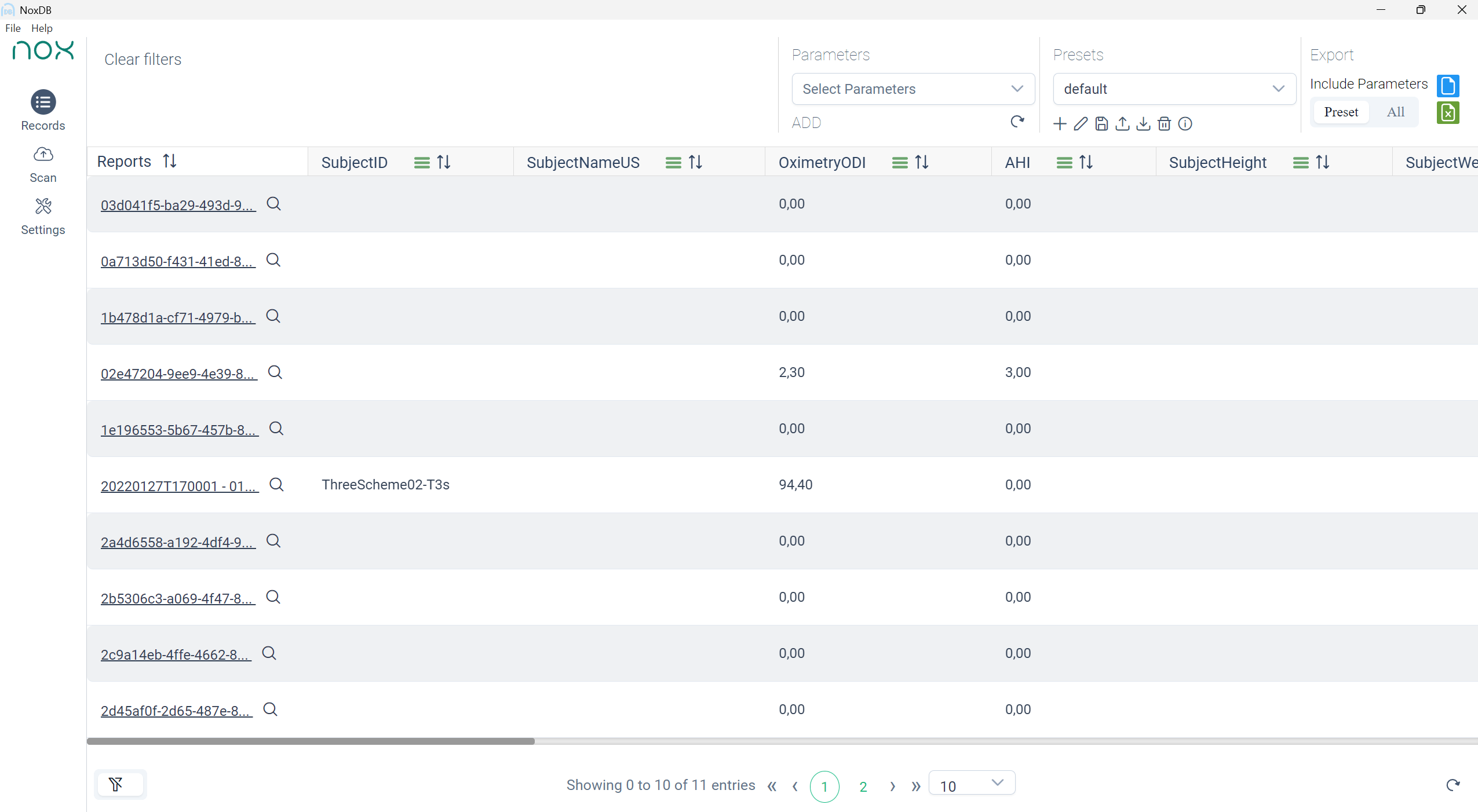
- Records Overview: Configurable headers, sorting, filtering, and quick search.
- Scan Workspace: Run scans, monitor status, and track incomplete studies.
- Presets & Parameters: Reusable parameter presets for repeatable analysis workflows.
- Noxturnal Integration: Open studies directly in Noxturnal.
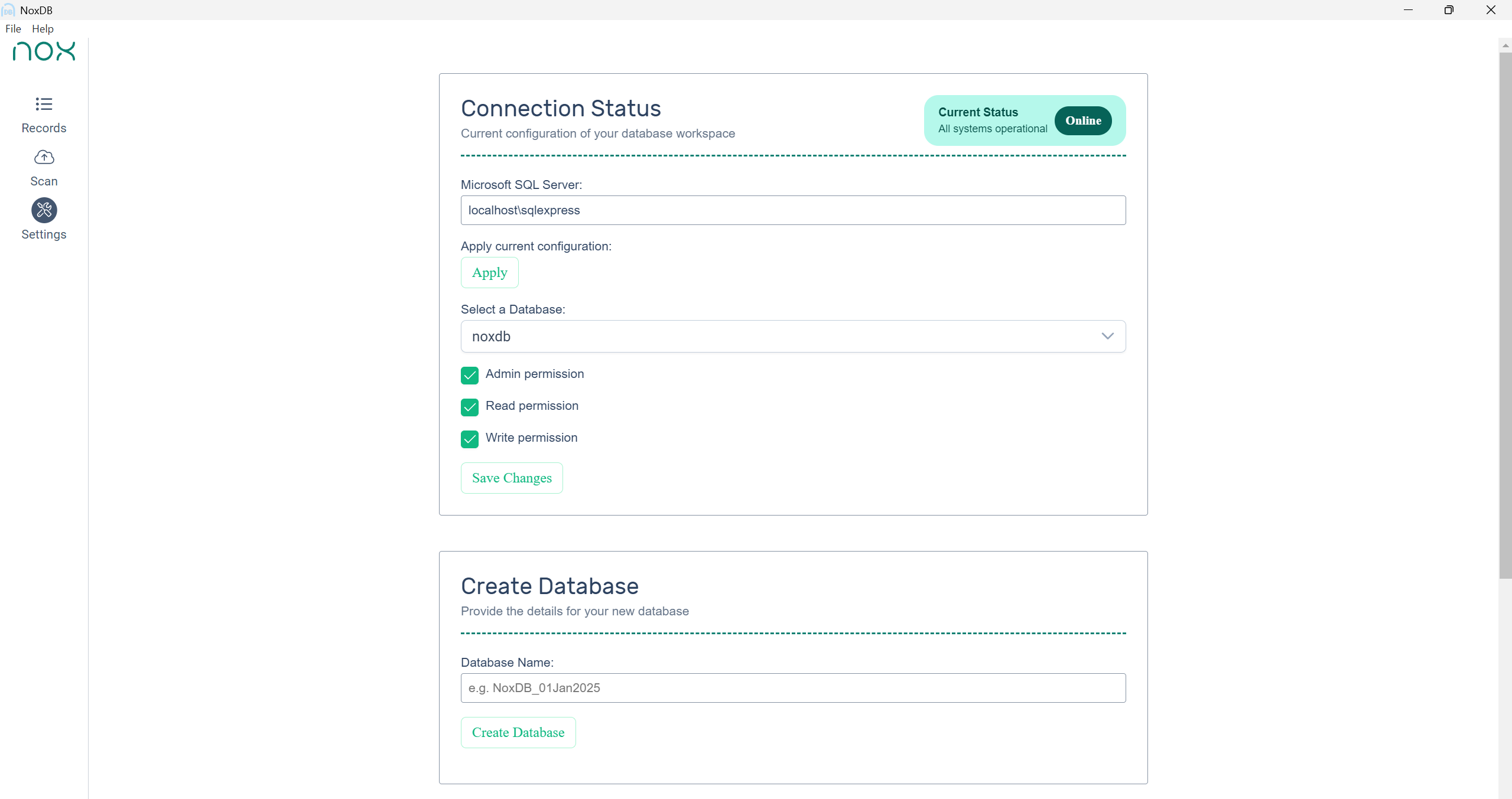
- Settings: SQL connection setup, database creation, and permission controls.

2. Codebeamer Extension
A multi-platform reporting tool engineered from a single codebase.
- Function: Generates Word document reports programmatically.
- Content Creator: Built-in content creator for composing and structuring report sections.
- Template Engine: Dynamic report generation from template definitions.
- Parser: Includes a Wikitext to DOCX parser for structured document generation.
- Architecture: Monorepo with a shared report-generation core.
- Platforms: Node.js CLI, Browser Extensions, Web applications, and Docker.
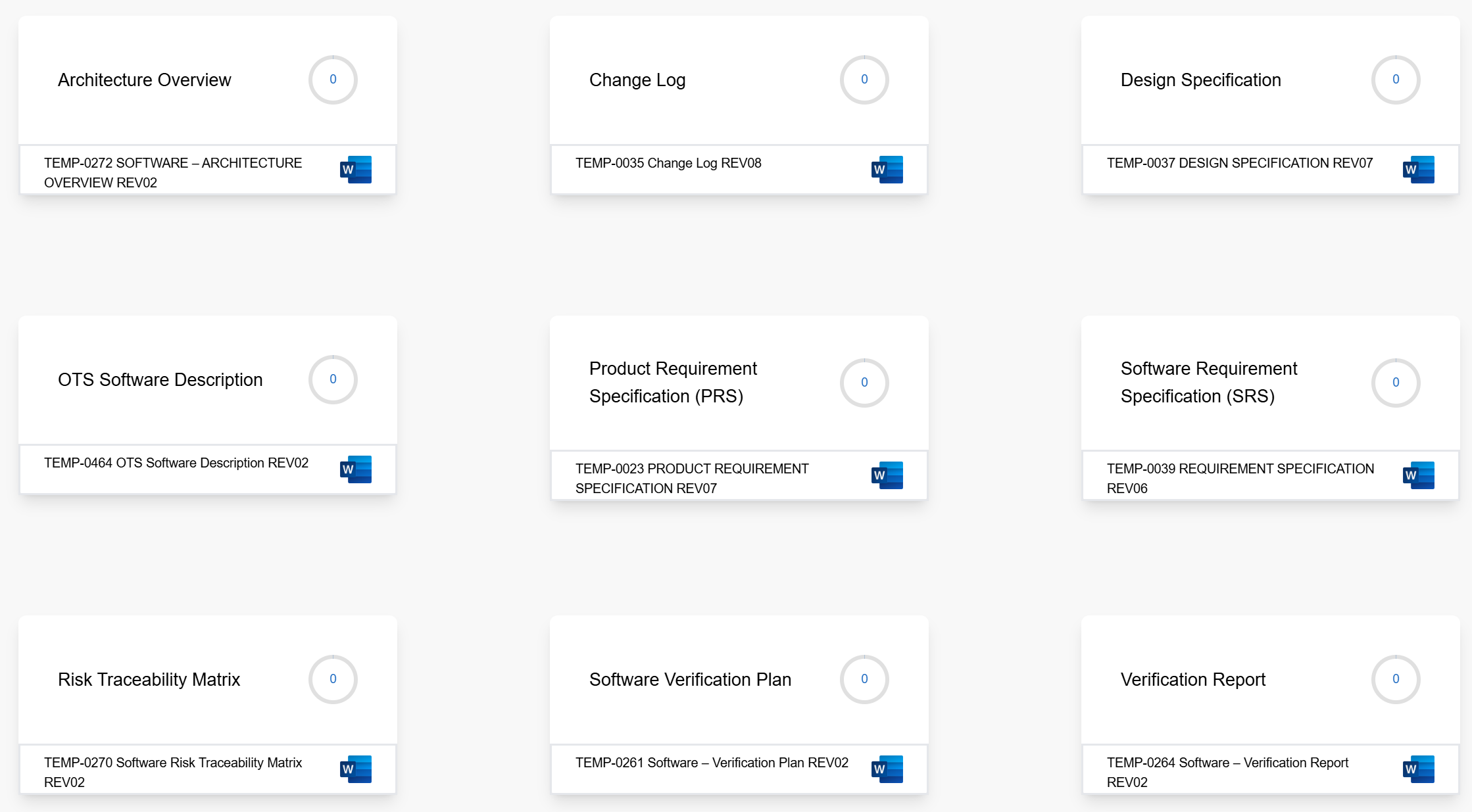
- Architecture Overview
- Change Log
- Design Specification
- OTS Software Description
- Product Requirement Specification (PRS)
- Software Requirement Specification (SRS)
- Risk Traceability Matrix
- Software Verification Plan
- Verification Report
- Product Risk Management Document
- System Requirement Specification
- Security Threat Evaluation
- Known issues
3. Mechanical Assembly Design
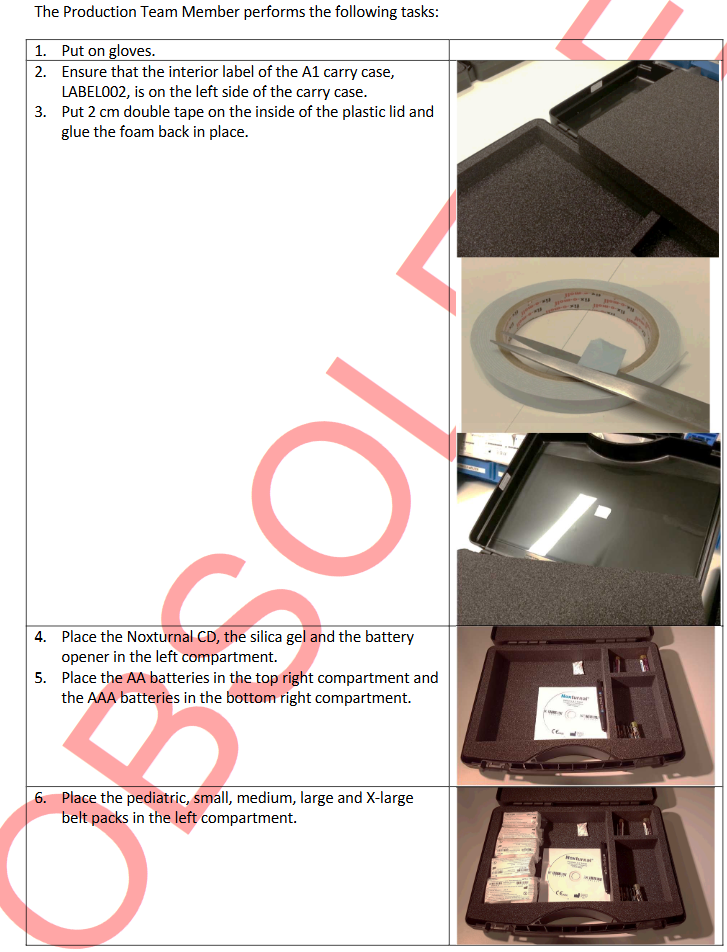
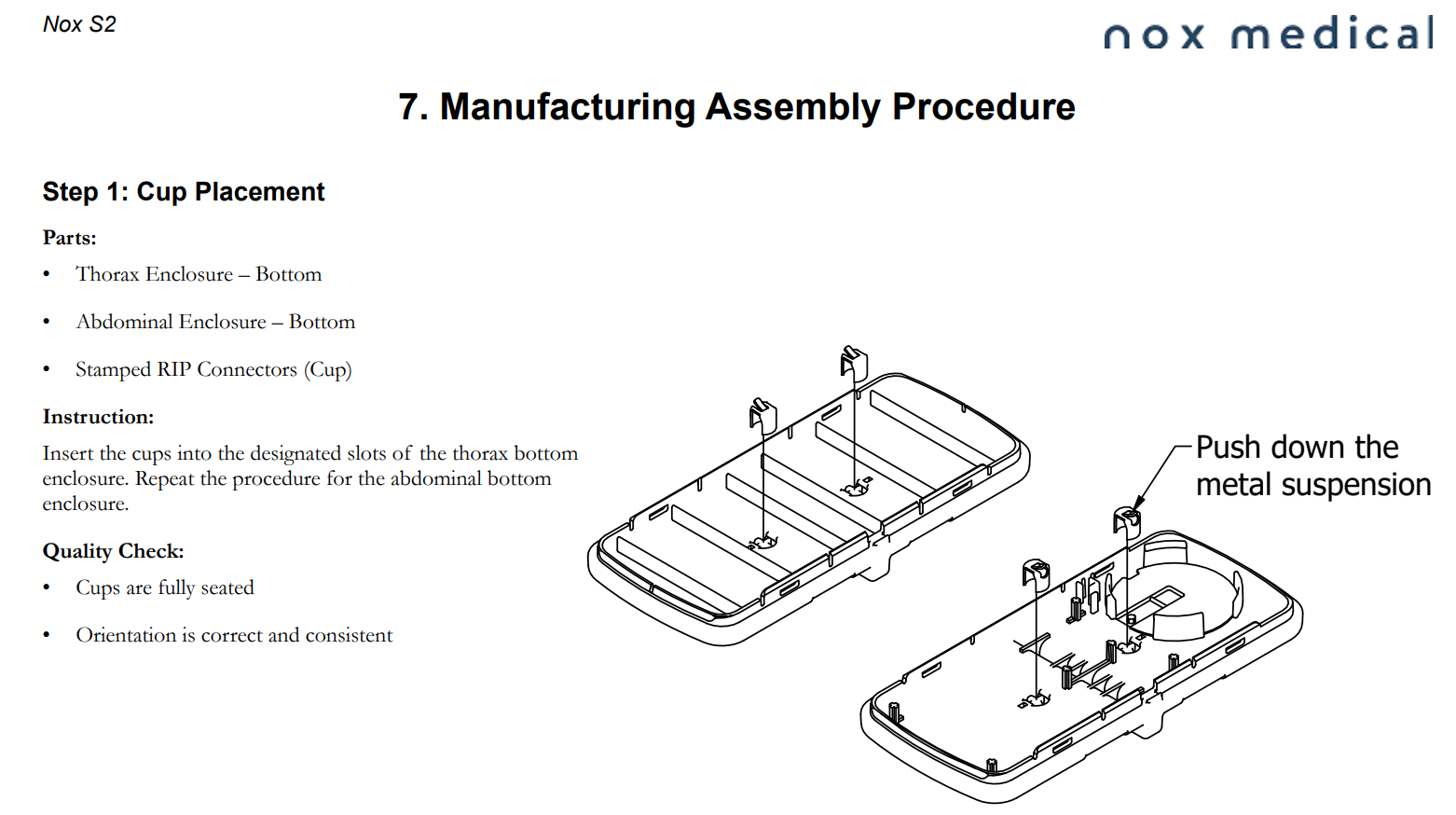
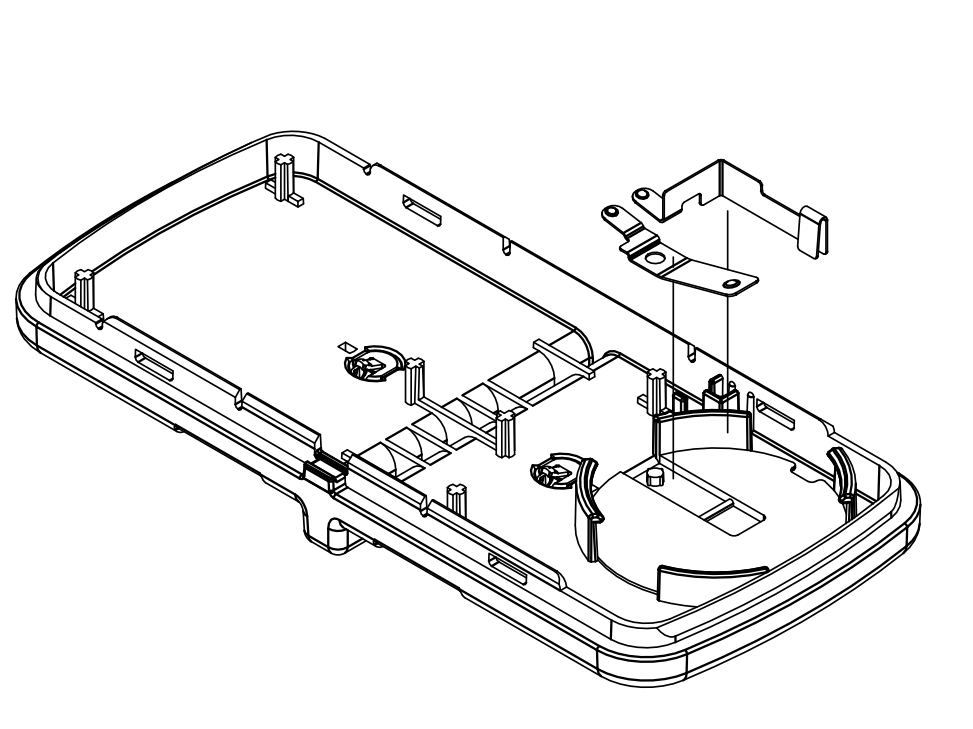
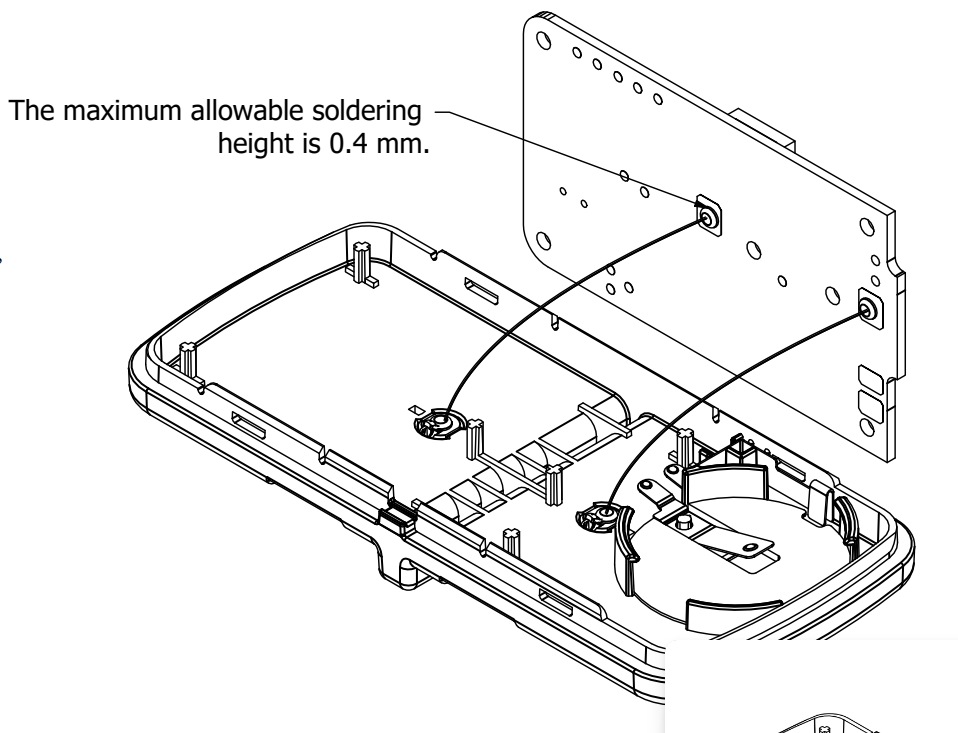
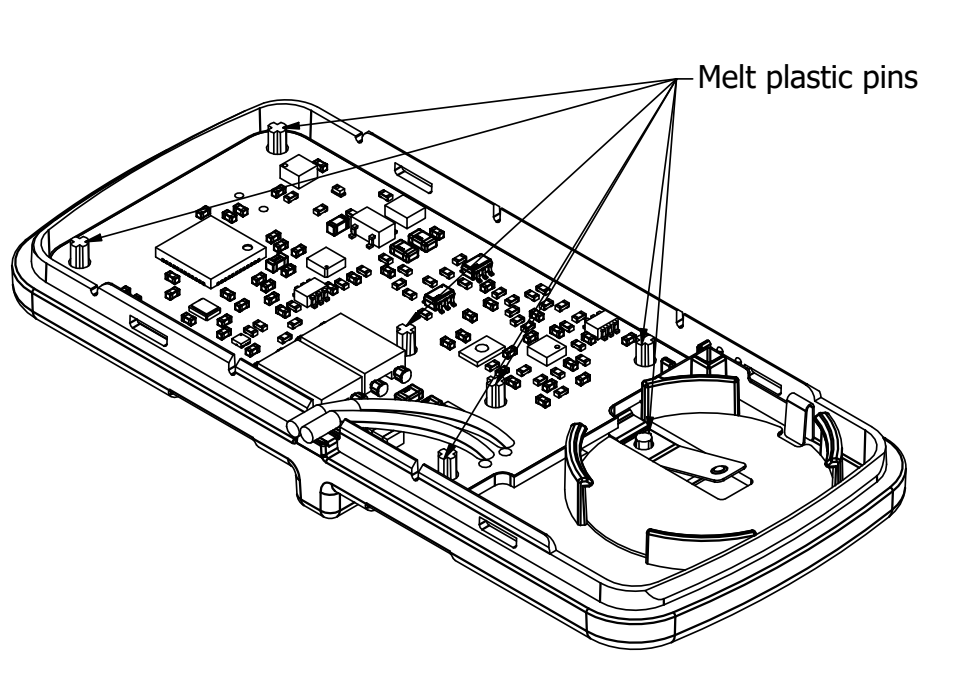
New approach for assembly instructions: from unclear photo-based guides to IKEA-style build steps.
- Old approach: Photos taken during assembly were often low quality and did not clearly show the correct build order.
- New approach: Exploded-view instructions show exact parts needed for each step and how parts are assembled.
- Outcome: Better clarity, fewer assembly mistakes, and faster onboarding for technicians.
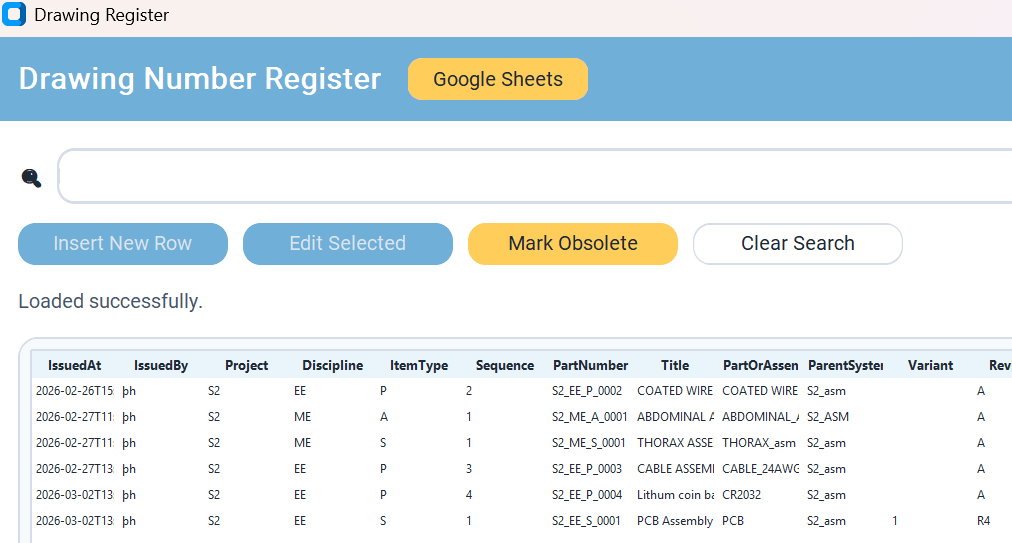
4. Part Number Register
A centralized register to collect all parts across mechanical projects and assign descriptive, structured part numbers.
- Purpose: One source for parts, assemblies, and related technical data across projects.
- Number Format:
project_Discipline_ItemType_sequence. - Discipline Codes:
ME(Mechanical),EE(Electrical),SW(Software),SY(System),MF(Manufacturing). - Item Type Codes:
P(Part),A(Assembly),S(SubAssembly),D(Diagram),T(Tooling). - Data Sheet Interface: Built to simplify imports and enable DMR exports.
- Revision History: Revisions are stored so older part versions remain documented and traceable.
- BOM Views: Generate multiple BOM views for different purposes while keeping all data in one place.
- Platform: Implemented in Google Sheets for simple sharing and cloud storage.


Thank You
Þorsteinn Hauksson
Hardware and Firmare team